
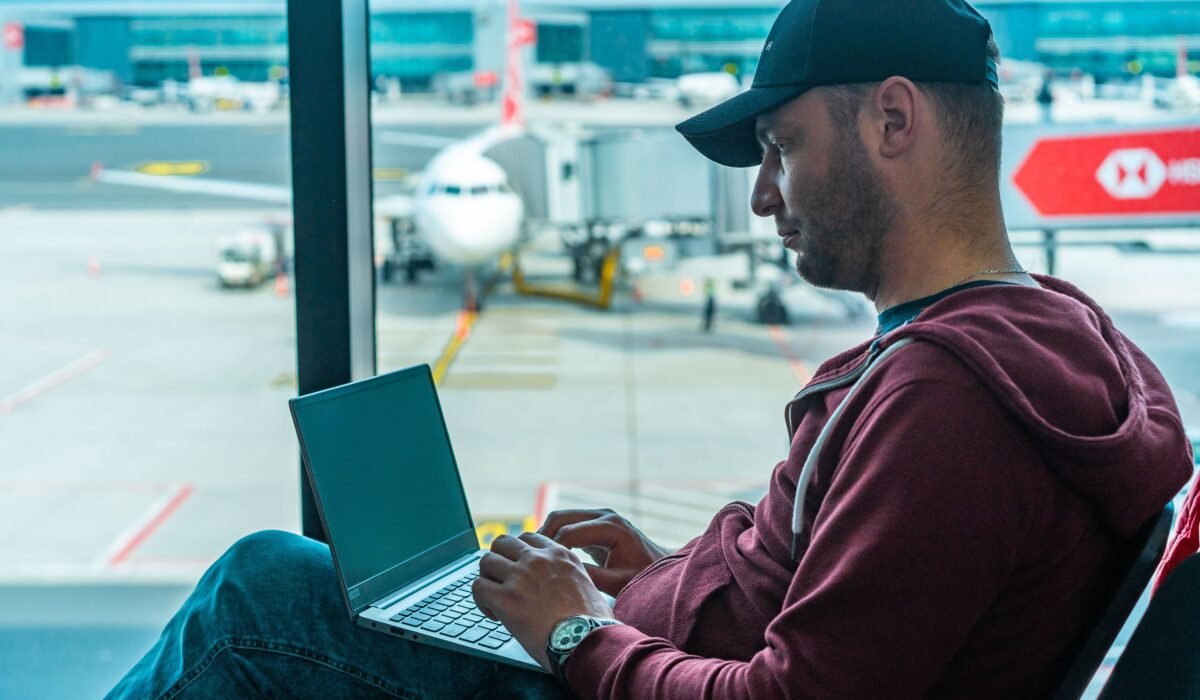
Navigating the ever-changing landscape of connectivity while flying can be confusing, which is why this comprehensive USA airline Wi-Fi guide is here to simplify your in-flight experience. Many travelers wonder about Wi-Fi availability, performance, and pricing before they even book a ticket, and our goal is to provide you with clear answers and actionable advice for your next journey.
Speak With A Flight Reservation Specialist
Need help with flight reservations, flight changes, cancellations, refund requests, missed flights, or last-minute bookings? Speak with a flight reservation specialist now.
📞 Call Now: +1 (844) 833-2075
- ✅ Flight Reservations
- ✅ Flight Changes
- ✅ Flight Cancellations
- ✅ Refund Assistance
- ✅ Last-Minute Bookings
- ✅ Travel Support
Which USA Airlines Offer Free Wi-Fi in 2024-2026? Your USA Airline Wi-Fi Guide
The dream of free in-flight Wi-Fi is becoming a reality on more U.S. airlines, transforming the passenger experience. While not every carrier offers it across their entire fleet, several major players are making significant strides in providing complimentary internet access, especially for their loyalty program members. Our research shows that airlines recognize that free high-speed Wi-Fi isn’t just a perk; it’s essential for today’s travelers, as stated by Heather Garboden, American Airlines’ Chief Customer Officer, in January 2026.
Here’s a breakdown of which major USA airlines are leading the charge with free Wi-Fi as of 2024-2026:
- Delta Air Lines: Delta officially launched fast, free Wi-Fi for SkyMiles members in February 2023 on most domestic mainline aircraft. They plan to extend this to international and regional routes throughout 2024 and 2025, aiming for completion by spring 2026. This initiative earned them the 2024 APEX Innovation Award for Best Inflight Connectivity for “Delta Sync.”
- American Airlines: American Airlines began rolling out free high-speed Wi-Fi for AAdvantage members in January 2026, sponsored by AT&T. This service is available on most domestic flights equipped with Viasat and Intelsat, covering approximately 90% of their fleet. This is a significant shift, making American Airlines Wi-Fi more accessible.
- JetBlue: A long-time pioneer, JetBlue continues to offer free “Fly-Fi” to all passengers on virtually every flight. They are a consistent and reliable option if free in-flight Wi-Fi is a priority for your travel.
- United Airlines: United is actively rolling out free Starlink Wi-Fi for MileagePlus members, with installations continuing through 2026. This move promises significantly faster speeds for eligible travelers.
- Southwest Airlines: As of October 2025, Southwest offers free Wi-Fi to Rapid Rewards members. For non-members, full Wi-Fi access costs $8 per device per flight, but free texting is available to all passengers.
What most people miss is that joining an airline’s loyalty program, like SkyMiles or AAdvantage, is often the key to unlocking these free in-flight Wi-Fi benefits. It’s a simple step that can save you money and keep you connected. For more details on maximizing your loyalty benefits, check out our guide on USA Airline Loyalty Programs: Earn Free Flights.
How Much Does In-Flight Wi-Fi Cost on Major US Airlines?
Even with the increasing availability of free options, paid in-flight Wi-Fi remains a reality on many flights, especially for non-members of loyalty programs or on specific routes and aircraft. The pricing landscape is fragmented, with costs varying significantly based on the airline, flight duration, and the type of Wi-Fi package you choose. The Moment Inflight Connectivity Benchmark 2025 indicates that freemium access (free basic services like messaging, paid for full browsing/streaming) is the leading model globally, adopted by 58% of connected airlines.
Here’s a general overview of what you can expect for in-flight internet cost on major US carriers:
- Delta Air Lines: For non-SkyMiles members or on aircraft not yet upgraded to free Wi-Fi, expect around $5 per flight on Viasat-equipped aircraft.
- American Airlines: Before their free Wi-Fi rollout for AAdvantage members, costs typically ranged from $10 to $35 per flight. They also offered a monthly domestic plan for $49.95.
- United Airlines: On flights without Starlink or for non-MileagePlus members, Wi-Fi costs $8 for MileagePlus members and $10 for non-members on domestic and short-haul international flights.
- Southwest Airlines: For non-Rapid Rewards members, full Wi-Fi access costs a flat $8 per device per flight. Remember, free texting is available to all.
- Other Carriers (e.g., Alaska Airlines, Frontier, Spirit): Pricing can vary widely, from hourly rates to full-flight passes. The global average costs are approximately $3.73 for messaging-only access, $9.99 per hour for internet, and $19.70 for a full-flight pass, according to Moment’s Inflight Connectivity Benchmark 2025.
It’s always a good idea to check the specific airline’s website or app closer to your departure date for the most accurate and up-to-date pricing. Some airlines also offer subscription plans for frequent travelers, which can be more cost-effective if you fly often.
Speak With A Flight Reservation Specialist
Need help with flight reservations, flight changes, cancellations, refund requests, missed flights, or last-minute bookings? Speak with a flight reservation specialist now.
📞 Call Now: +1 (844) 833-2075
- ✅ Flight Reservations
- ✅ Flight Changes
- ✅ Flight Cancellations
- ✅ Refund Assistance
- ✅ Last-Minute Bookings
- ✅ Travel Support
Comparing USA Airline Wi-Fi Providers: Starlink, Viasat, Intelsat & More – A USA Airline Wi-Fi Guide
The quality and speed of your in-flight Wi-Fi experience largely depend on the technology powering it. Airlines partner with various Wi-Fi providers, each offering different capabilities and performance levels. Understanding these differences can help you set realistic expectations for your flight connectivity. The industry consensus, as highlighted by the Moment Inflight Connectivity Benchmark 2025, is that “In-flight connectivity (IFC) has moved decisively from “nice to have” to core cabin infrastructure,” driving innovation among providers.
Here’s a look at the major players and what they bring to the table for your airplane internet needs:
Starlink In-Flight
Starlink, SpaceX’s satellite internet constellation, is rapidly gaining traction in aviation due to its high speeds and low latency. Ookla’s Q4 2025 data shows Starlink as a top performer, with a median download speed of 152.37 Mbps, an upload speed of 24.16 Mbps, and a multi-server latency rate of only 44 milliseconds. This performance makes it suitable for demanding tasks like streaming and even some online gaming. United Airlines and Hawaiian Airlines are among those rolling out Starlink in-flight across their fleets.
Viasat
Viasat is a prominent provider known for its high-capacity geostationary satellites. Airlines like American and Delta utilize Viasat for their in-flight connectivity. Viasat demonstrated median download speeds of 56.84 Mbps in Ookla’s Q4 2025 report. This is generally sufficient for browsing, email, social media, and standard-definition streaming, offering a robust flight connectivity experience for many users.
Intelsat (formerly Gogo)
Intelsat, which acquired Gogo’s commercial aviation business, is another key player. They offer a range of solutions, including air-to-ground (ATG) and satellite-based systems. American and Delta also use Intelsat on some aircraft. Ookla’s Q4 2025 data showed Intelsat with median download speeds of 46.99 – 65.08 Mbps, making it a reliable choice for general internet use.
Panasonic Avionics and Inmarsat
These providers are often found on international long-haul fleets, offering global coverage. Panasonic Avionics is known for its comprehensive entertainment and connectivity solutions, while Inmarsat specializes in global mobile satellite communications. While specific speed data can vary greatly by aircraft and region, they generally provide consistent, if not always ultra-fast, connections for extended flights.
In practice, the best airline Wi-Fi for streaming or heavy usage will likely be found on aircraft equipped with Starlink, while Viasat and Intelsat provide solid performance for most other tasks. It’s a competitive field, and continuous innovation is a core focus, as evidenced by events like the APEX/IFSA Global EXPO 2024, where Dr. Joe Leader, CEO of APEX/IFSA, noted the “convergence of aviation’s brightest minds, where game-changing innovations and in-flight service advancements were not only discussed but realized.”
How to Connect to Airplane Wi-Fi & Troubleshoot Common Issues
Connecting to airplane Wi-Fi is generally a straightforward process, but knowing the steps and common troubleshooting tips can save you frustration. Most modern aircraft make the connection seamless, but occasional hiccups can occur. Remember that in-flight Wi-Fi, by its nature, is a shared resource, so performance can fluctuate based on the number of users and the aircraft’s location.
Connecting to In-Flight Wi-Fi
Follow these steps to get online:
- Enable Wi-Fi on Your Device: Ensure your smartphone, tablet, or laptop’s Wi-Fi is turned on and airplane mode is activated.
- Search for the Network: Once the aircraft reaches cruising altitude, typically above 10,000 feet, scan for available Wi-Fi networks. Look for names like “AirlineName_Wi-Fi,” “Gogo Inflight,” “Viasat Wi-Fi,” or “Starlink.”
- Connect to the Network: Select the appropriate network and wait for your device to connect.
- Open Your Browser: Once connected, open a web browser (e.g., Chrome, Safari, Edge). Most systems will automatically redirect you to the airline’s Wi-Fi portal or a landing page. If not, try navigating to a common, unencrypted website like google.com.
- Choose Your Plan (if applicable): On the portal, you’ll see options to purchase a plan (hourly, full flight, messaging-only) or log in with your loyalty program credentials for free access. Follow the prompts to complete your selection.
- Accept Terms and Conditions: Always review and accept the terms and conditions before proceeding.
Troubleshooting Wi-Fi Connection Issues
If you’re experiencing problems with your airplane internet, try these common troubleshooting airplane Wi-Fi connection tips:
- Restart Your Device’s Wi-Fi: Turn Wi-Fi off and then back on. This often resolves minor connectivity glitches.
- Close and Reopen Browser: If the portal isn’t loading, close your browser entirely and open it again. You can also try a different browser.
- Clear Browser Cache/Cookies: Sometimes old data can interfere. Clearing your browser’s cache and cookies might help.
- Disable VPN (Initially): While a VPN is recommended for security (more on that later), it can sometimes interfere with the initial connection to the airline’s Wi-Fi portal. Connect first, then activate your VPN.
- Move Away from Obstructions: While rare, physical obstructions or interference from other devices can sometimes impact signal strength.
- Check Flight Status: In rare cases, if the Wi-Fi system is undergoing maintenance or there’s a technical issue with the aircraft, Wi-Fi might be temporarily unavailable.
- Contact Flight Attendant (Last Resort): If all else fails, a flight attendant might be able to confirm if there’s a known system-wide issue, though they typically cannot offer technical support.
What most people don’t realize is that patience is key. In-flight Wi-Fi systems are complex, and a brief drop or slow period doesn’t always mean the system is broken. Give it a moment before trying to troubleshoot extensively.
Speak With A Flight Reservation Specialist
Need help with flight reservations, flight changes, cancellations, refund requests, missed flights, or last-minute bookings? Speak with a flight reservation specialist now.
📞 Call Now: +1 (844) 833-2075
- ✅ Flight Reservations
- ✅ Flight Changes
- ✅ Flight Cancellations
- ✅ Refund Assistance
- ✅ Last-Minute Bookings
- ✅ Travel Support
Maximizing Your In-Flight Connectivity: Tips for Speed & Security
Getting online during your flight is one thing; making the most of that connection and keeping your data safe is another. With shared bandwidth and public networks, proactive steps can significantly enhance your experience. This section of our USA airline Wi-Fi guide focuses on helping you achieve the best possible performance and safeguard your personal information while using airplane internet.
Optimizing for Speed
While Starlink in-flight promises impressive speeds, even the best airline Wi-Fi for streaming can face limitations due to the nature of satellite communication and shared resources. Here’s how to manage your expectations and optimize your flight connectivity:
- Set Realistic Expectations: Even with advancements, in-flight Wi-Fi is rarely as fast or consistent as your home broadband. Expect it to be good for email, messaging, light browsing, and perhaps standard-definition streaming, but challenging for 4K streaming, large downloads, or video calls with high quality.
- Download Content Beforehand: For entertainment, always download movies, TV shows, podcasts, and e-books to your device before your flight. This prevents buffering and saves bandwidth for more critical tasks.
- Close Unnecessary Apps and Tabs: Background app refreshes and open tabs consume bandwidth. Close anything you’re not actively using to free up resources.
- Avoid Peak Usage Times: If possible, try to use the Wi-Fi during less busy periods, such as immediately after takeoff or during meal services, when fewer people might be actively using the network.
- Disable Automatic Updates: Ensure your device isn’t set to automatically download large updates for apps or the operating system while connected to Wi-Fi.
In-Flight Wi-Fi Security Best Practices
Public Wi-Fi networks, including those on planes, can be vulnerable. Protecting your data is paramount:
- Use a Virtual Private Network (VPN): A VPN encrypts your internet traffic, creating a secure tunnel between your device and the internet. This is the single most important step for securing your data on any public Wi-Fi network.
- Avoid Sensitive Transactions: If you don’t have a VPN, refrain from conducting sensitive activities like online banking, shopping with credit card details, or accessing confidential work documents.
- Stick to HTTPS Websites: Always ensure that websites you visit use HTTPS (look for the padlock icon in the browser address bar). This indicates that your connection to that specific website is encrypted.
- Disable File Sharing: Turn off any file-sharing options on your device to prevent unauthorized access from other network users.
- Keep Software Updated: Ensure your operating system, web browser, and security software are up-to-date. Updates often include critical security patches.
In practice, our team always recommends having a VPN installed and ready to go for any travel, especially when relying on public Wi-Fi. It’s a small investment for significant peace of mind regarding your digital security.
Future of Airline Wi-Fi: What to Expect in 2025 and Beyond
The landscape of in-flight connectivity is evolving at a rapid pace, driven by passenger demand and technological advancements. What was once a slow, expensive novelty is quickly becoming a high-speed, often free, and essential part of the travel experience. This continuous improvement is making a comprehensive USA airline Wi-Fi guide more important than ever. We’re seeing a fundamental shift where in-flight connectivity (IFC) is no longer a “nice to have” but “core cabin infrastructure,” as highlighted by the Moment Inflight Connectivity Benchmark 2025.
Advancements in Satellite Technology
The rollout of low Earth orbit (LEO) satellite constellations like Starlink is a game-changer. These satellites orbit much closer to Earth than traditional geostationary satellites, drastically reducing latency and increasing bandwidth. This means passengers can expect:
- Significantly Faster Speeds: Capable of supporting multiple users streaming, browsing, and working simultaneously without major slowdowns.
- Lower Lat